Edit talking head videos automatically, in one click
Raw2Reel is an online AI editor made for videos where you talk to the camera. Upload the clip as you filmed it, with the pauses, the ums and the takes you said twice, and press one button. A few minutes later you get a finished vertical video: dead air cut, captions word by word, music under your voice, b-roll on the key lines and a gentle zoom so the frame never feels static. Upload a full recording longer than 3 minutes, like a podcast, talk, webinar or interview, and Raw2Reel cuts it into 5 to 10 short vertical clips, ranked best first, each edited the same way.
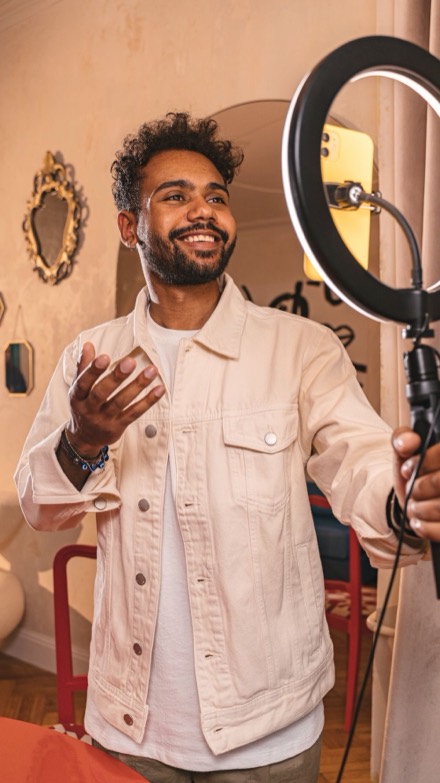
From raw clip to finished video
Upload the whole take
Mistakes and retakes included, from your phone, your computer or a Google Drive folder. A full recording works too.
Press Edit this video
A short clip comes back as one finished video. Over 3 minutes of talking comes back as 5 to 10 short clips, best first. We email you when it's ready.
Change anything in plain words
Type "shorter intro" or tap a word to cut it, then save in Full HD.
| Editing it yourself | Raw2Reel | |
|---|---|---|
| Time for a 60-second clip | Often an hour or more | A few minutes, while you do something else |
| Pauses and retakes | Found and cut one by one | Cut from a transcript of what you said |
| Captions | Typed or synced by hand | Word by word, in 90+ languages |
| B-roll and music | Searched for and placed by hand | Picked to match your words, your own pictures first |
| Skills needed | A timeline editor | None |
What a talking head edit needs, done for you
A good talking head video has no dead air, captions people can read with the sound off, something to look at besides your face, and a pace that keeps the viewer. Raw2Reel does each of these in the same pass: it cuts the gaps and repeated lines, writes the captions word by word, adds b-roll where your words call for it, puts quiet music under your voice and zooms in on the key lines.
A long recording becomes ranked short clips
Upload your full recording: a podcast, a talk, a webinar, an interview or a vlog where you talk. If it is longer than 3 minutes, Raw2Reel reads the whole transcript and picks 5 to 10 moments of 20 to 75 seconds that make sense on their own, each built on whole sentences, starting on a strong line and ending on a complete thought. The clips come back best first, each with a title, its length, a one-line reason why it works and its own preview, Save & download and Edit. Every clip gets the full edit above: vertical 9:16, word by word captions, pauses and retakes cut, music and b-roll. The first clip is usually ready in 2 minutes and all of them in 2 to 6 minutes. If you want the whole recording as one video instead, tap One long video. See how long videos become short clips.
How long an edit takes, measured (updated 6 Nov 2026)
In the 7 days to 6 November 2026, clients finished 258 edits in Raw2Reel. 244 were clips up to 3 minutes long, with a median length of 36 seconds. The median time from pressing Edit to the finished preview was 33 seconds, and 9 in 10 were ready in under 85 seconds. 14 were full recordings over 3 minutes, with a median length of 5 minutes 48 seconds, and those took a median of 4 minutes 38 seconds to come back as ranked clips. The numbers come from our own job log, not from a test on a chosen video, and a busy hour can be slower. 120 of the 258 edits were in English and 75 in Arabic.
Your own pictures before stock
Add photos and clips of your shop, your product or your work under My pictures, and Raw2Reel uses them first, only the steady, sharp parts. Stock pictures only fill the gaps. If you want no b-roll at all, switch it off with one tap.
Change it without a timeline
Every word you said is in the transcript. Tap a word or a line to cut it, tap again to bring it back. Or type what you want, the way you would tell an editor: "remove the last sentence", "less music", "warmer colours". The video updates a moment later.
Made for Reels, TikTok and Shorts
The video comes out vertical 9:16 for Reels, TikTok and YouTube Shorts, or 4:5 for the feed, or square, in Full HD 1080p at the frame rate you filmed. The captions are burned into the video, so they show on every platform.
Who it is for
Coaches, consultants, business owners, real estate agents and creators who film one or more talking videos a week and don't want to spend an hour editing each one. It also fits agencies and freelance editors who do the first cut for clients and clippers who turn a creator's long recordings into many clips. If you want hand-made transitions and effects on every cut, a full editor suits you better, and you can still start from a Raw2Reel export, since paid videos have no mark.
Price: 3 free videos every month
You get 3 free videos every month, with no card: captions, cuts and music in 720p, up to 10 min a month. For more, take the monthly plan (15 videos for $15) or a pack of 10 for $29 or 30 for $69. A video only counts the first time you save it. Free videos carry a small Raw2Reel mark in the corner, and paid videos have none.
More you can do with Raw2Reel
Questions
What is the best way to edit a talking head video automatically?
Upload the raw clip to Raw2Reel and press Edit this video. It cuts the pauses and retakes, adds word-by-word captions, music and b-roll, and you can change anything in plain words before you save.
Can AI edit my talking videos for me?
Yes. Raw2Reel reads what you said and builds the edit from it: cuts, captions, music, b-roll and zoom. You check it and save.
Does it work with videos filmed on my phone?
Yes. Upload straight from your iPhone or Android camera roll in the browser. There is no app to install.
Can it remove my mistakes and repeated takes?
Yes. When you say a line twice, the best take stays and the others are cut. Anything it cut shows in red and comes back with a tap.
Can it turn a long video into short clips?
Yes. Upload a talking video longer than 3 minutes, like a podcast, talk or interview, and Raw2Reel gives you 5 to 10 short vertical clips, ranked best first, each with a title, captions, music and b-roll. Saving a clip counts as one video. You can also ask for one long edit of the whole recording instead.
Which languages does it understand?
Over 90 spoken languages, recognised automatically, including English, Spanish, Arabic and Danish. Captions can be translated into 7 languages.
Is it free?
You get 3 free videos every month with no card: captions, cuts and music in 720p, up to 10 min a month. For more, take the monthly plan (15 videos for $15) or a pack. Free videos carry a small Raw2Reel mark in the corner, and paid videos have none.